01
Drag to snap.
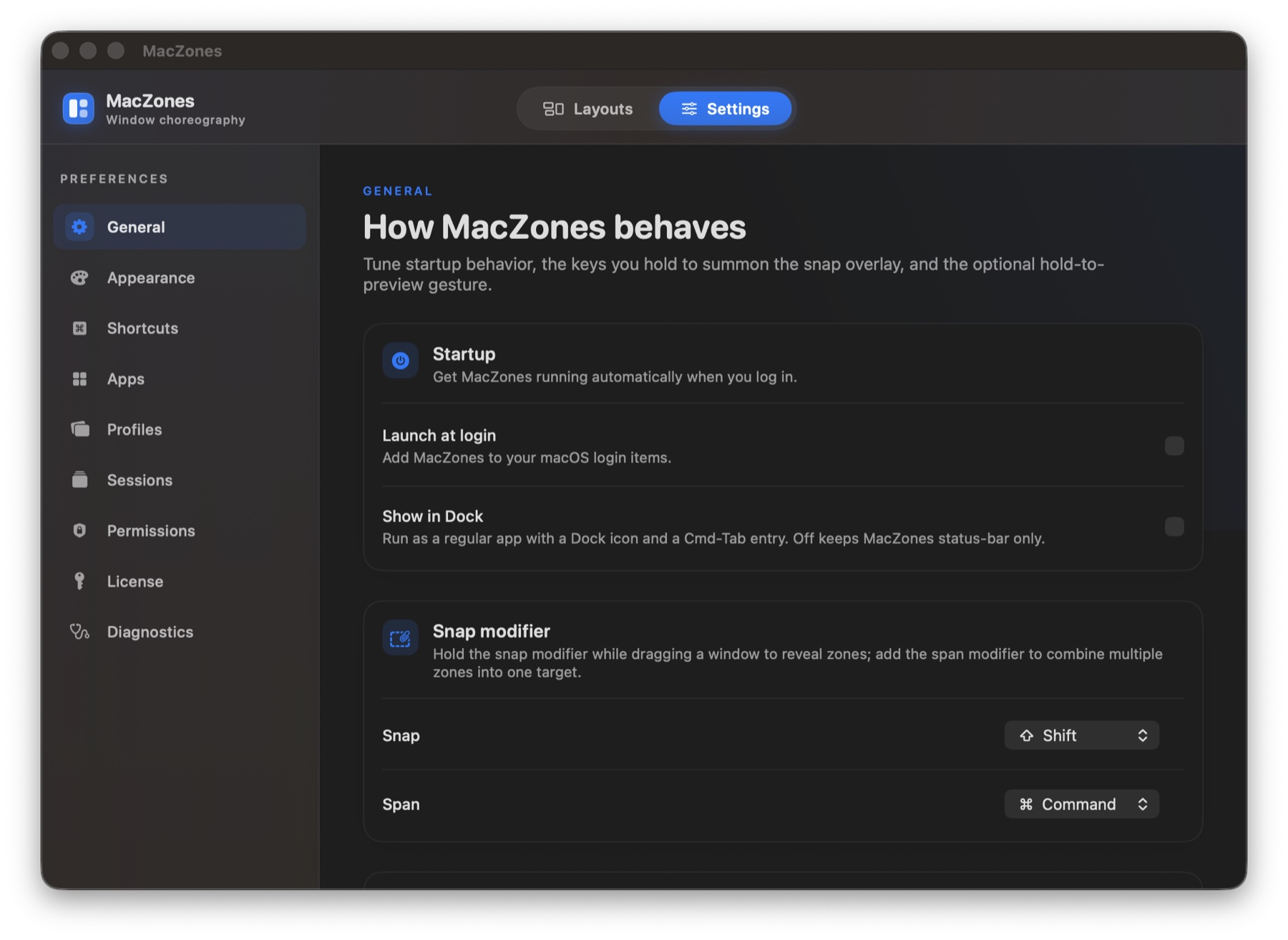
Hold ⇧ while dragging. Overlays appear on every display, hover the target, release. Hold ⌃ alongside to span two adjacent zones into one.
A precise, keyboard-driven tiling utility for macOS. Drag with ⇧ to snap, hold ⌃ to span two zones, and fly between layouts, displays, and saved sessions with a single chord.
14-day free trial. Universal binary. No account required.
Features
Hold ⇧ while dragging. Overlays appear on every display, hover the target, release. Hold ⌃ alongside to span two adjacent zones into one.
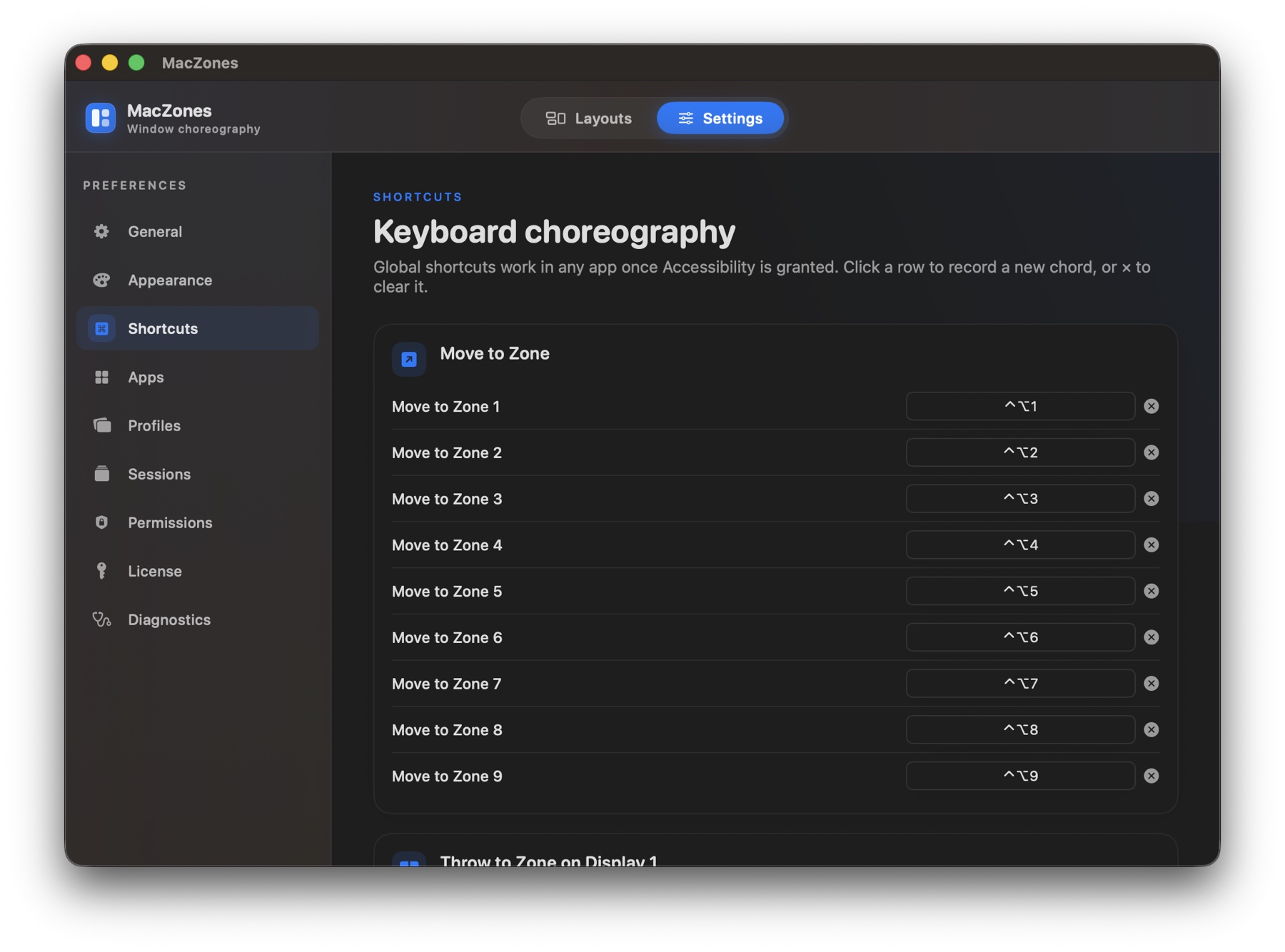
Move the focused window between zones, displays, and layouts with ⌃⌥ + a key. Every action is rebindable.
Studio in the morning, laptop on a train. Profiles bind layouts to physical displays by UUID and switch automatically.
Snapshot every window in every app, then put them back exactly where you had them. Survives reboots.
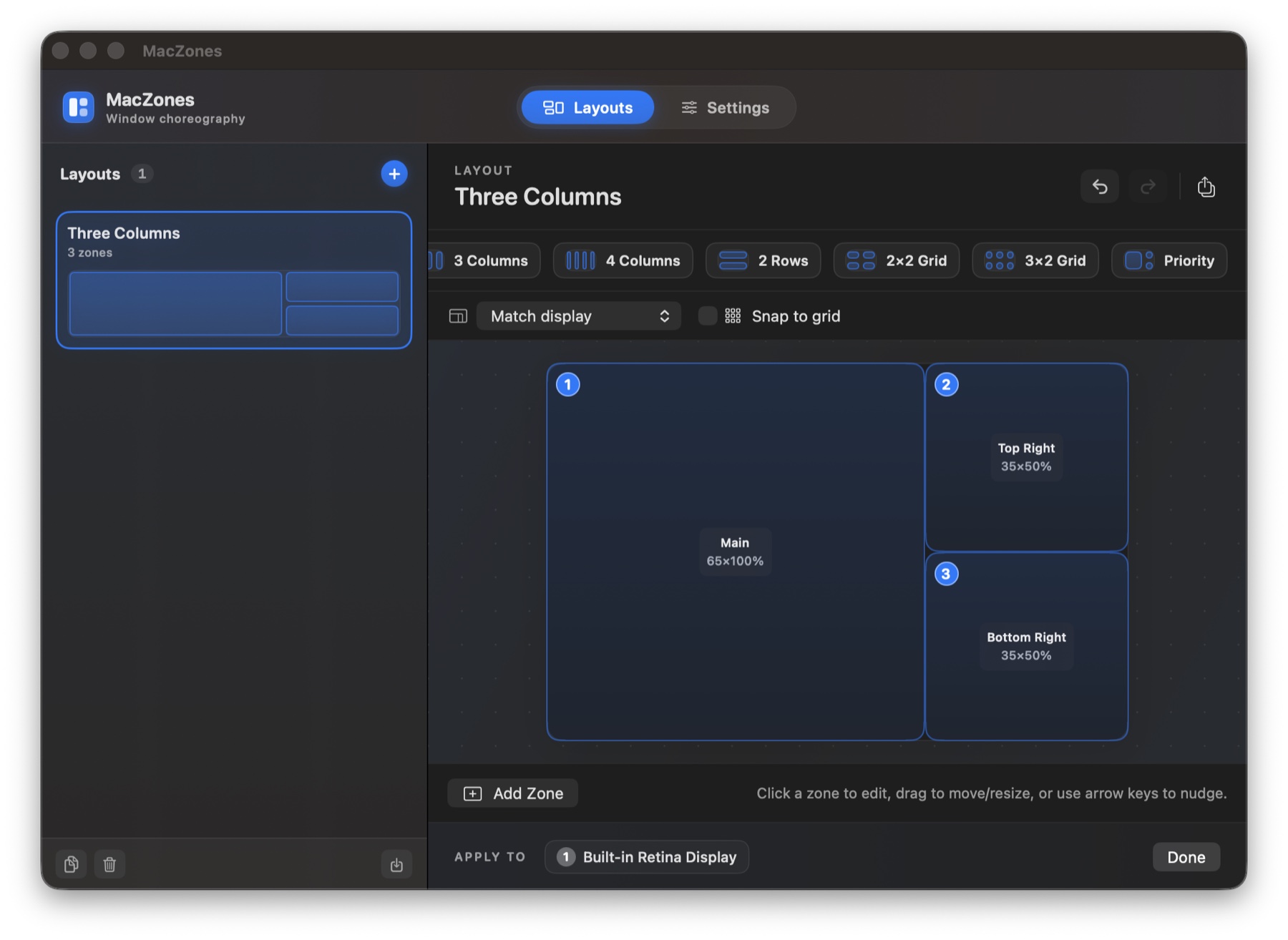
Drag, resize, duplicate, and name zones on a canvas. Save layouts, share them across displays, start from templates.
A 4 MB universal binary. Hardened runtime, quiet background updates. No Electron, no telemetry, no account.
Shortcuts
Snap the window under your cursor into a zone.
Span multiple adjacent zones into a single rect.
Send the focused window to zone n of the current layout.
Step the window to the next zone, or expand into a neighbor.
Fill the display. Press again to restore the pre-fill rect.
Hurl the window to the next display, keeping its zone.
Every chord is rebindable in Settings. Defaults are conservative; no conflicts with macOS or common apps.
Screens
Pricing
Already have a key? Open MacZones → Settings → License to activate.
Universal binary, ~4 MB. Requires macOS 14 Sonoma or later and the Accessibility permission.
Download MacZones 1.3.0 · DMG